v 3.4.6
- Added support for the PSR-SX620, PSR-E483 and PSR-E583 instruments
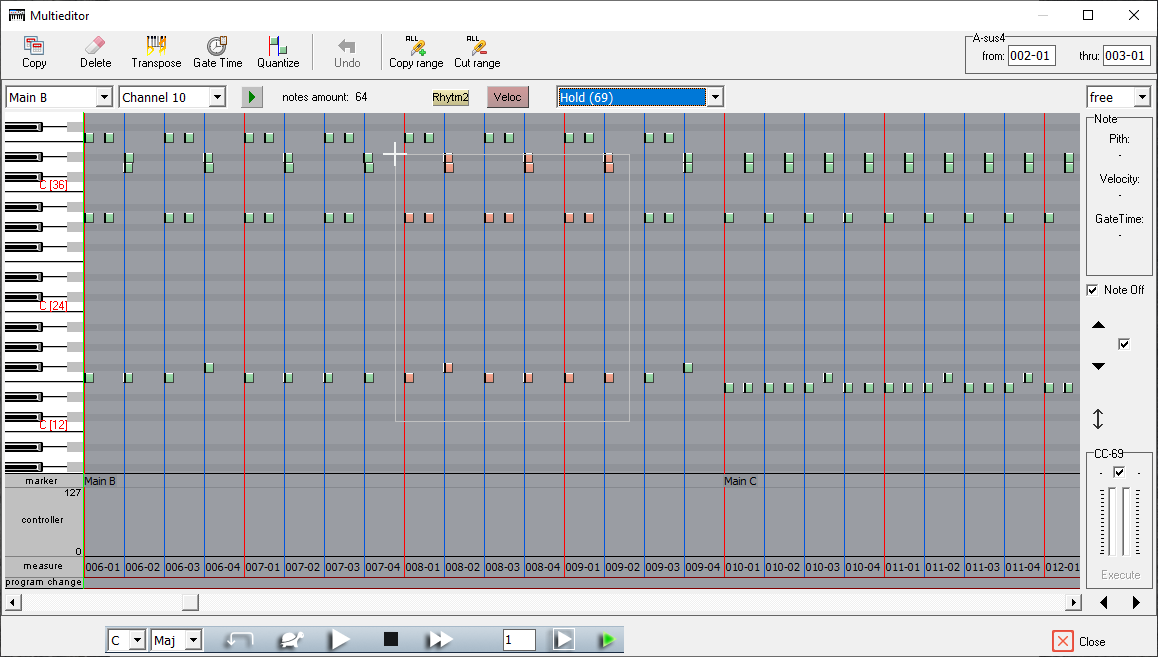
- Multieditor - added functions for META events (copying, moving, deleting),
- Main window - added Czech and Spanish languages,
v 3.4.3
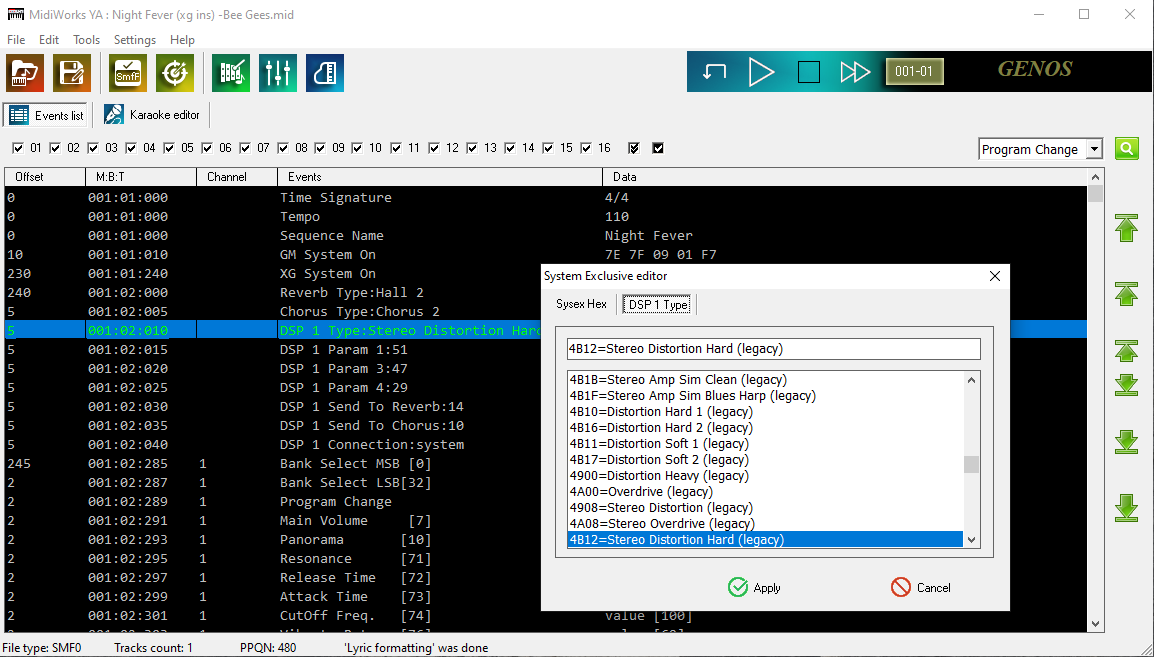
- System Exclusive Editor - added frequency visualization for equalizer settings,
v 3.4.2
- New instruments have been added: PSR SX920, PSR SX720, CVP 509 and PSR 9000 pro,
v 3.4.1
- Multieditor - added preview and editing of META events (Sequence Name, Text, Lyric, Copyright, Tempo, Time signature, Key signature),
- Multieditor - added preview of note dynamics (Note Velocity),
- Multieditor - added note input up to a specified value (with right mouse button),
- Multieditor - added drawing curves for CC controllers and Pitch Bend wheel (Sin, Cos, Lin, Arc-L, Arc-R),
- Multieditor - added MIDI event shifting feature,
- Multieditor - other improvements: bold line at the beginning and end of sections, indication of displayed note,
v 3.3.1
v 3.3.0
- Super Revoice - added function to improve midi song selectivity
- Multieditor - added view scrolling, which automatically completes the start bar field
v 3.2.1
- Compatible with Windows 11
v 3.2.0
- Channels manager - added Key Signature support (transpose)
- Karaoke Editor - added Key Signature support
- Vocal Harmony Creator - added second voice generator
- Multieditor - added new tools: eraser, pencil, selection,
- Multieditor - added grid lines in the Control Change field,
- Multieditor - added a detailed selection of controllers for the Copy and Delete functions,
- Improved Text formatting
v 3.0.1G
v 3.0.1
- Improved SuperRevoice algorithms
v 3.0.0
- New FLAT interface, improved color scheme, appearance of windows has been refreshed,
- Validation SMF/SFF - two runtime errors was removed,
- Validation SMF/SFF - improved interpretation of the Key Signature,
- Vocal Harmony Manager - improved Balance Lead/Harmony for Tyros 4 and newer
- System Exclusive editor- added list filter for predefined sysex messages
- DSP Type selection (Reverb, Chorus, Variation) - added list filter of effect
- Channels manager - added "Pocket", that allows you to swap two channels, even if the song uses all 16,
- Added support for keyboard shortcuts:
- Esc - exit of tools/editors (eg Mixing console) without applying changes,
- Enter - exit of tools/editors with applying changes,
- Ctrl R - loop song (jump back),
- Space - tap record in the Karaoke editor,
- Ctrl A - select all (eg from bar: 002-01 to bar: 999-01) in the Karaoke editor, Multieditor,
- Ctrl PLUS - zoom in view in the Karaoke editor, Multieditor,
- Ctrl MINUS - zoom out view in the Karaoke editor, Multieditor,
- Alt S - switch Solo/All to playing of channel in the Multieditor, Voice editor, Velocity/Pitch editor,
- Ctrl UP - view up of channel in the Multieditor,
- Ctrl DOWN - view down of channel in the Multieditor,
- Ctrl D or DELETE - calling Delete tool in the Multieditor,
- Ctrl C - calling Copy tool in the Multieditor,
- Ctrl E - calling Velocity/Pitch editor in the Multieditor,
- Ctrl G - calling GateTime tool in the Multieditor,
- Ctrl Q - calling Quantize tool in the Multieditor,
- Ctrl T - calling Transpose tool in the Multieditor,
- Ctrl X - cut range (it works for all channels, you can cut a piece of song) in the Multieditor,
- Ctrl I or INSERT - copy range (it works for all channels, you can copy a piece of song) in the Multieditor,
- Ctrl Z - undo complex operations in the Multieditor,
v 2.1.5
- Vocal Harmony manager - added the VH Settings
- Voice editor - added Pan and Level for tuning percussion instruments,
- Voice editor - added "Prompter of voices",
- Multieditor - added quantization functions,
- Multieditor - added the auto adjust the keyboard to notes on the channel,
- Multieditor - added Auto Zoom, which dependent of PPQN value,
- Multieditor - added legato in the Gate Time editor,
v 2.1.3
- Compatible with Windows 10
- Added Slovak language
v 2.1.2
- Added Chordal creator in the Vocal Harmony Creator
- Fixed an issue with a jump to distant places in midi file on slower computers
v 2.1.0
- Added tool the 'Vocal Harmony Manager'
- Fixed an issue refresh filename after save the file
v 2.0.0
- Changed the appearance of the main window by using tabs
- Karaoke Editor moved to the main window, the program has a friendly appearance
- Simplified interface of the Karaoke editor
- Added the function to format the text (all uppercase letters, all lowercase letters)
- Added buttons moving events of 1, 10 and 100 tick units (Event list)
- Added templates of notes to the window of editing offset and shift events
- Added the ability to change the size of the Multieditor window (maximize)
- Improved precision of selecting of notes, controllers and markers in Multieditor
- Fixed insertion of new controllers for style files (Mixing console)
- Fixed a few runtime errors
- Fixed error reading SMF1 in some midi files (unknown meta event)
v 1.3.1
- in the "Window of voice selection and voice edit" added new features: velocity editor, pitch editor and tune of drums
- Channels manager - improved transposition
- Mixing console - fix error controller of Dry/Wet in DSP effects
v 1.0.3.2
- improved detection markers of SPJ in midi files
v 1.0.3
- fix autochord in the songs with changeable time signature
- add - move and copy channels has effect on the CASM parameters
v 1.0.2
- The first official version
|